

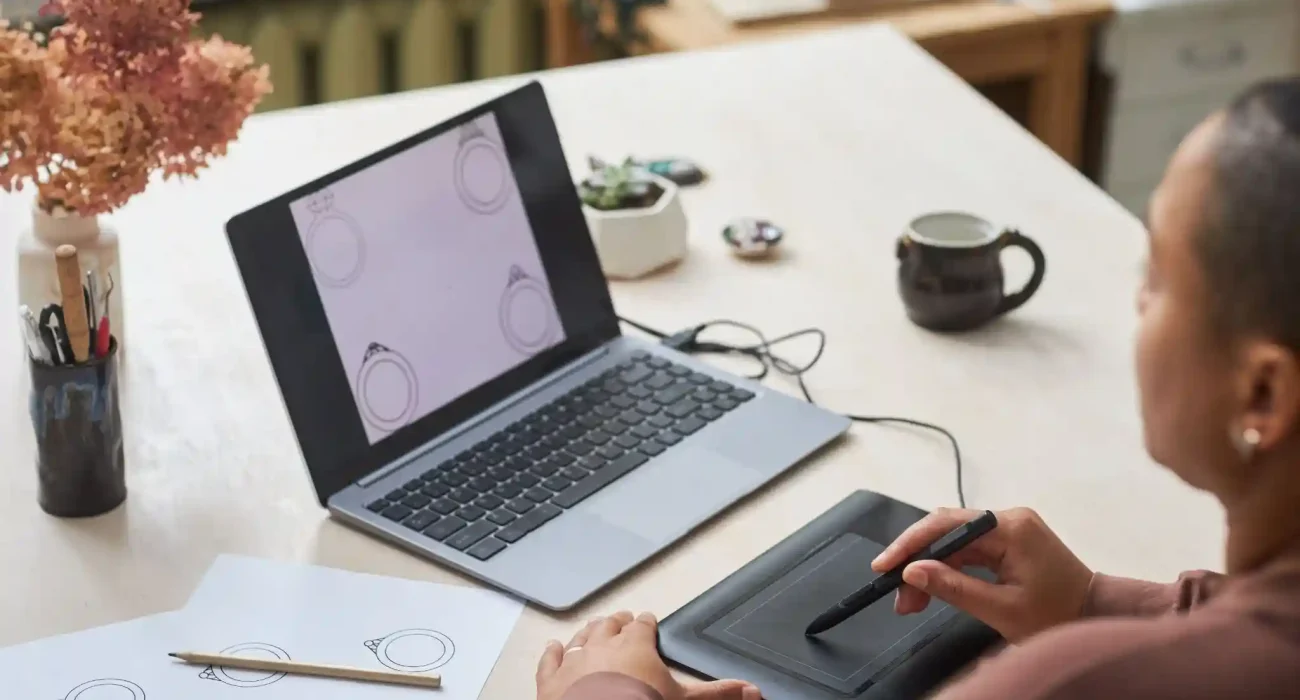
Digital art continues to grow rapidly in 2026, with beginners exploring illustration, concept art, and graphic design more than ever. Having the right digital art hardware is essential for creating efficiently and producing high-quality work. While software is important, your hardware directly affects how natural your drawing feels, how precise your strokes are, and how long you can comfortably work. This guide helps beginners understand which tools are essential, from tablets to computers, so you can invest wisely without getting overwhelmed.
Understanding Digital Art Hardware
Digital art hardware refers to all the physical tools used to create art on a computer. This includes drawing tablets, styluses, monitors, and ergonomic accessories that support your workflow. Unlike traditional art supplies, these tools interact with software to convert your movements into digital lines and brushstrokes. Choosing the right hardware ensures smooth performance, accurate input, and comfortable working conditions. For beginners, a proper setup doesn’t have to be expensive, but it should be compatible with popular software like Adobe Photoshop, Clip Studio Paint, or Procreate. Understanding your needs and workspace while keeping your budget in mind will help you avoid unnecessary purchases and frustration.
Essential Hardware for Digital Artists
Digital Drawing Tablets
Digital drawing tablets form the backbone of a digital artist’s workflow. There are several types available for beginners, each offering a different experience. Standard graphics tablets require you to draw on the tablet while looking at a separate monitor. These are budget-friendly and provide a good starting point, though they take time to get used to. Pen displays combine a screen with the tablet, allowing you to draw directly on your artwork. They offer a more natural and intuitive feel but are usually more expensive. Tablet computers, such as iPads or Surface Pros, combine portability with a responsive touchscreen and stylus, giving beginners flexibility to work anywhere. When choosing a tablet, it’s important to consider features like pressure sensitivity, resolution, and size. Larger tablets offer more room for gestures, while smaller options are easier to transport and fit into compact workspaces.
Stylus and Pen Accessories
The stylus is a critical tool for translating your hand movements into digital strokes. Its responsiveness, ergonomics, and features such as tilt detection affect how natural drawing feels. Some styluses are battery-powered, while others use EMR (electromagnetic resonance) technology and never require charging. For beginners, a comfortable stylus with good pressure sensitivity is essential. Accessories like replacement pen nibs, pen holders, and ergonomic grips enhance convenience and ensure the stylus lasts longer. Investing in a reliable pen improves workflow and makes long sessions less tiring.
Computers and Laptops for Digital Art
A computer acts as the engine behind your digital creations. While beginners can often start with existing devices, a capable system ensures smoother performance as file sizes grow and software becomes more demanding. For 2026, a minimum of 8GB RAM, a mid-range processor, and SSD storage are recommended for smooth performance. A dedicated graphics card can improve software acceleration, though integrated GPUs are sufficient for simpler projects. Desktop computers generally provide more power for the price, while laptops allow portability for working on the go. Choosing a system that fits both your lifestyle and software needs ensures a more productive creative workflow.
Monitors and Displays
A good monitor is essential for accurate colors and sharp details. IPS panels are ideal for beginners because they provide consistent color reproduction. The screen resolution and size also affect comfort and clarity. Full HD is the minimum, while 4K displays allow for more detailed work. Monitors between 24 and 27 inches are generally the most comfortable for extended drawing sessions. Regular calibration ensures that colors remain accurate across devices and output formats, which is particularly important for projects intended for printing or professional use.
External Hardware and Accessories
External accessories may seem minor, but they significantly improve workflow and comfort. Drawing gloves reduce smudges and help your hand glide smoothly across the tablet surface. Tablet stands and monitor risers improve posture and ergonomics during long sessions. Even proper lighting with a desk lamp can reduce eye strain and enhance focus. While these tools might appear optional, they collectively enhance efficiency, comfort, and the overall digital art experience.
Budget-Friendly Options for Beginners
Starting digital art in 2026 does not require a high-end setup. Many beginner-friendly tablets, styluses, and laptops provide excellent performance without high cost. Entry-level tablets such as the Wacom Intuos or XP-Pen Deco are reliable and affordable for beginners. Apple Pencil, combined with a standard iPad or the Microsoft Surface Pen paired with a Surface Go, offers a more portable mid-range option. For computers, refurbished laptops with SSDs and mid-range CPUs are sufficient for most software, allowing beginners to work effectively without overspending. It is important to prioritize core hardware first, such as a tablet and stylus, before gradually adding accessories or upgrading components as skills improve. Thoughtful planning helps balance cost with functionality and avoids unnecessary purchases.
Hardware Setup Tips for Optimal Performance
Even the best hardware requires a proper setup to be effective. Position your tablet or display at a comfortable angle that reduces wrist strain and allows smooth hand movements. Your chair should support good posture, and your desk should provide sufficient space for motion. Calibration is also important. Many tablets and monitors allow you to adjust pressure curves, pen sensitivity, and color profiles. These settings ensure your input matches your creative intentions, reducing the learning curve for beginners. Additionally, simple cable management can prevent interruptions during drawing sessions and keep your workspace tidy and efficient.
Future-Proofing Your Digital Art Setup
As your skills grow, your hardware requirements may evolve. Investing in modular setups that allow upgrades, such as a computer with replaceable RAM or a tablet that supports advanced stylus features, can save money in the long run. In 2026, digital art hardware trends include higher-resolution tablets, improved stylus tilt detection, and lower-latency devices, which create more natural drawing experiences. Monitoring these trends ensures your setup remains relevant and capable of handling future software updates or more complex projects. Gradual upgrades allow you to enhance your workflow while avoiding unnecessary expenses early on.
Conclusion
Choosing the right digital art hardware is a crucial first step for beginners in 2026. A reliable tablet, responsive stylus, capable computer, and ergonomic workspace form the foundation for a productive and comfortable creative workflow. Budget-friendly options make it possible to start immediately, while planning for future upgrades ensures your setup can grow with your skills. The key is to balance cost, comfort, and performance, focusing on tools that complement your learning and artistic style. By starting with essential hardware and refining your tools over time, the journey into digital art becomes smoother, more enjoyable, and ultimately more rewarding.
FAQs
Q1: Do I need a high-end tablet to start digital art?
No. Beginner tablets with good pressure sensitivity and basic functionality are enough to practice effectively and produce professional-looking work without overspending.
Q2: Can I use any computer for digital art?
Most modern computers work for digital art, but a system with at least 8GB RAM and a mid-range processor ensures smooth performance with larger files and complex software.
Q3: Are stylus pens universal for all tablets?
Stylus pens are generally brand-specific. Always check compatibility with your tablet before purchasing to ensure full functionality and avoid performance issues.
Q4: Is a monitor necessary for digital art?
While some tablets have integrated screens, a color-accurate monitor improves precision, reduces eye strain, and ensures consistent results across devices and printing.
Q5: How can I gradually upgrade my setup as a beginner?
Start with a reliable tablet and stylus, then add a suitable computer, monitor, and ergonomic accessories. Upgrade components gradually as your workflow and skills advance.