
Digital art has transformed the way artists create and share their work. With technology making art more accessible, beginners need to understand the right tools and software to set them on the path to success. This guide delves into the essential hardware and software every aspiring digital artist should consider. By focusing on practical insights and real-world applications, this blog aims to equip you with the knowledge needed to enhance your digital art journey.
Understanding Digital Art
Digital art encompasses a wide range of artistic expressions created using digital technology. This includes illustrations, paintings, animations, and 3D modeling. Unlike traditional art, digital art allows for greater flexibility and experimentation. Artists can easily edit and manipulate their work, making it a popular choice among creatives today. Understanding the various forms of digital art can help you determine which path you want to pursue as you start your journey.
Essential Hardware for Digital Art
Digital Drawing Tablets
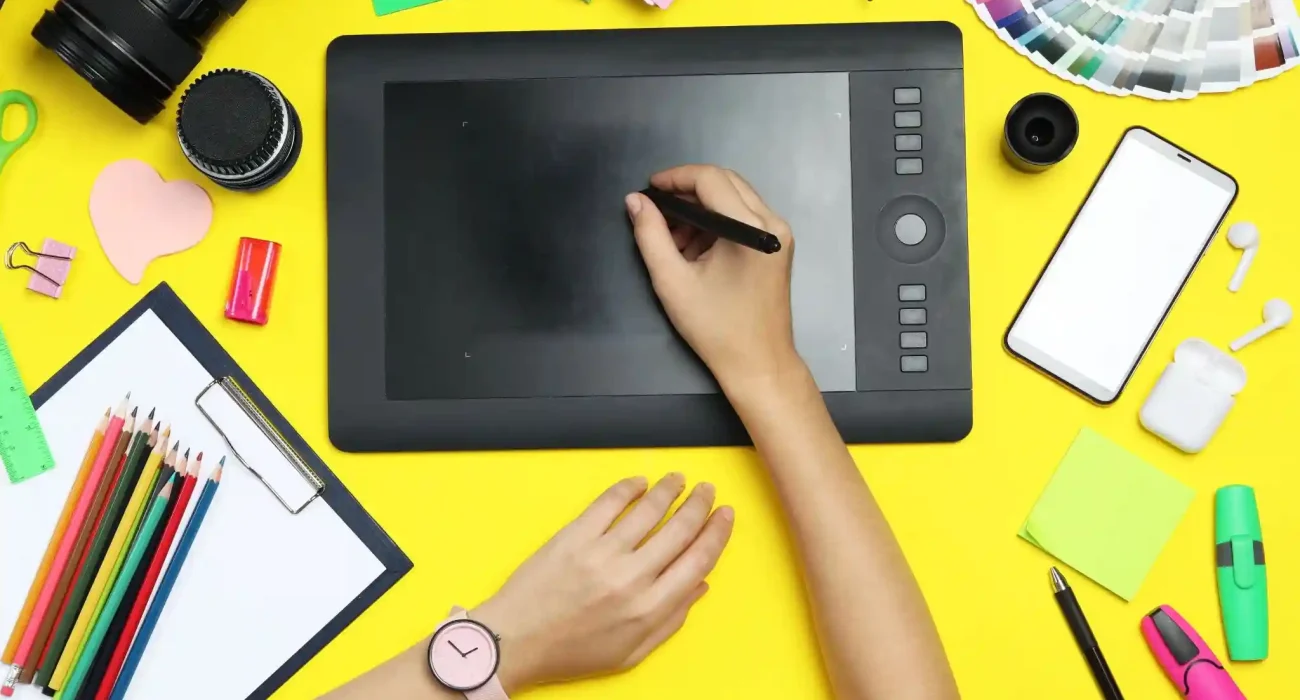
A digital drawing tablet is one of the most crucial tools for any digital artist. It acts as a bridge between your creative instincts and the digital canvas. When selecting a drawing tablet, you’ll encounter two main types: pen tablets and pen displays. Pen tablets, like the Wacom Intuos, are ideal for beginners. They are straightforward to use and affordable. You draw on the tablet while looking at your monitor, which can take some getting used to. On the other hand, pen displays, such as the XP-PEN Artist series, allow you to draw directly on the screen. This provides a more intuitive experience, making it easier to see your work as you create. While they tend to be pricier, the investment can be worthwhile for those serious about digital art.
For beginners, some recommended models include the Wacom Intuos for its reliability and user-friendliness, the XP-PEN Artist 12 Pro for a screen-based experience, and the Huion Kamvas for budget-friendly options that still provide quality performance. Each of these models offers unique features that can cater to different preferences and styles of working.
Computers and Accessories
Your computer is just as important as your drawing tablet. Ensure your PC or Mac meets the minimum specifications required for your chosen software. A powerful graphics card and ample RAM will enhance performance and reduce lag. A high-resolution monitor is essential for color accuracy, allowing you to see your artwork as it is meant to be seen.
In addition to your computer, consider investing in additional accessories that can improve your overall digital art experience. For instance, using a stylus with customizable buttons can streamline your workflow by allowing you to access frequently used tools more easily. An ergonomic stand can also enhance your comfort during long sessions, helping you maintain good posture and reducing strain on your body.
Choosing the Right Software
Popular Software Options
The software you choose will significantly impact your digital art experience. Adobe Photoshop is the industry standard for digital art. It offers extensive features for digital painting, photo editing, and graphic design. However, it has a learning curve and requires a subscription. Another excellent option is Clip Studio Paint, which is ideal for illustrations and comic art. It has a user-friendly interface and robust features, including 3D model support. If you prefer working on a tablet, Procreate is exclusive to iPad and is known for its intuitive design and vast brush library. Finally, free alternatives like Krita and GIMP provide powerful tools suitable for beginners without breaking the bank.
Factors to Consider When Choosing Software
When selecting software, consider several factors that will influence your experience. The user interface is crucial; a clean and intuitive interface can make a significant difference in your learning curve. Choose software that feels comfortable to navigate and aligns with your artistic style. Compatibility is also important, so ensure the software works seamlessly with your hardware. Some programs are optimized for specific operating systems or devices, which can affect performance. Additionally, look for software with abundant tutorials and community support. Having resources readily available makes learning easier and helps you troubleshoot issues as they arise.
Tools and Resources for Learning
As a beginner, having access to quality learning resources can accelerate your development. Online courses, tutorials, and community forums are excellent places to gain knowledge and inspiration. Websites like Skillshare, Udemy, and YouTube offer a plethora of courses on various aspects of digital art, from basics to advanced techniques. Joining online communities or social media groups can also provide support and feedback. Engaging with fellow artists fosters a collaborative learning environment, where you can share tips, critiques, and encouragement.
Tips for Getting Started with Digital Art
Establishing a productive workspace is essential for creativity. Choose a comfortable and quiet area where you can focus on your art, ensuring your tablet and computer are set up ergonomically to avoid strain. Developing a consistent practice routine is crucial for improvement. Set aside dedicated time each week to experiment with different styles and techniques. Don’t be afraid to make mistakes; they are part of the learning process. Finally, explore various art styles and subjects. This experimentation will help you find your unique voice and style as an artist. Remember, the key to growth is persistence and a willingness to learn.
Conclusion
Choosing the right tools and software is vital for anyone starting in digital art. With the appropriate hardware and applications, you can unlock your creative potential and produce stunning artwork. Remember that digital art is as much about practice and exploration as it is about the tools you use.
Invest in quality hardware and select software that best suits your artistic goals. Don’t hesitate to experiment with different styles and techniques, as this will help you discover your unique voice as an artist. Continuous learning through online resources, tutorials, and community engagement will further enhance your skills. As you embark on this artistic journey, embrace the process and enjoy the growth that comes with it. Each piece you create is a step toward mastering your craft. Your journey in digital art is just beginning, filled with endless opportunities for creativity and expression.
FAQs
1. What is the best drawing tablet for beginners?
The Wacom Intuos is an excellent choice for beginners due to its affordability and ease of use. If you prefer a screen tablet, consider the XP-PEN Artist 12 Pro.
2. Do I need expensive software to create digital art?
Not necessarily. While programs like Adobe Photoshop offer extensive features, free alternatives like Krita can also be powerful tools for beginners.
3. How can I improve my digital art skills?
Consistent practice is key. Set aside time to experiment with different techniques and styles, and don’t hesitate to seek feedback from peers.
4. Are there free resources for learning digital art?
Yes! Platforms like YouTube and community forums provide countless tutorials and tips without any cost. Look for beginner-friendly channels to get started.
5. What should I look for in digital art software?
Consider factors like user interface, compatibility with your hardware, and the availability of learning resources. Choose software that aligns with your artistic goals and workflow.